Project Overview
The University of Pennsylvania’s School of Veterinary Medicine’s intranet had become unwieldy and difficult to navigate after years of unchecked content growth. With over 700 pages, competing navigation systems, and poor mobile optimization, staff, faculty, and students struggled to find essential information — from HR policies to emergency procedures. The result was a flood of repetitive emails, frustrated users, and an onboarding process that left new hires confused and unsupported.
As the lead UX/UI consultant on this project, I was tasked with transforming the intranet into a functional knowledge hub that would serve Penn Vet’s diverse user base — including onsite, hybrid, and remote workers. This required not just a visual redesign, but a complete rethinking of the site’s information architecture, content strategy, and underlying technology.
Project Goals
Transform the intranet into a centralized knowledge hub that would:
- Migrate to a mobile-first WordPress CMS aligned with Penn Vet’s brand
- Enable easy sharing of business documents, policies, and company news
- Streamline onboarding with intuitive access to HR information, SOPs, and orientation materials
- Reduce excessive group emails by providing a self-service Q&A resource
- Foster community and communication across on-site, hybrid, and remote teams
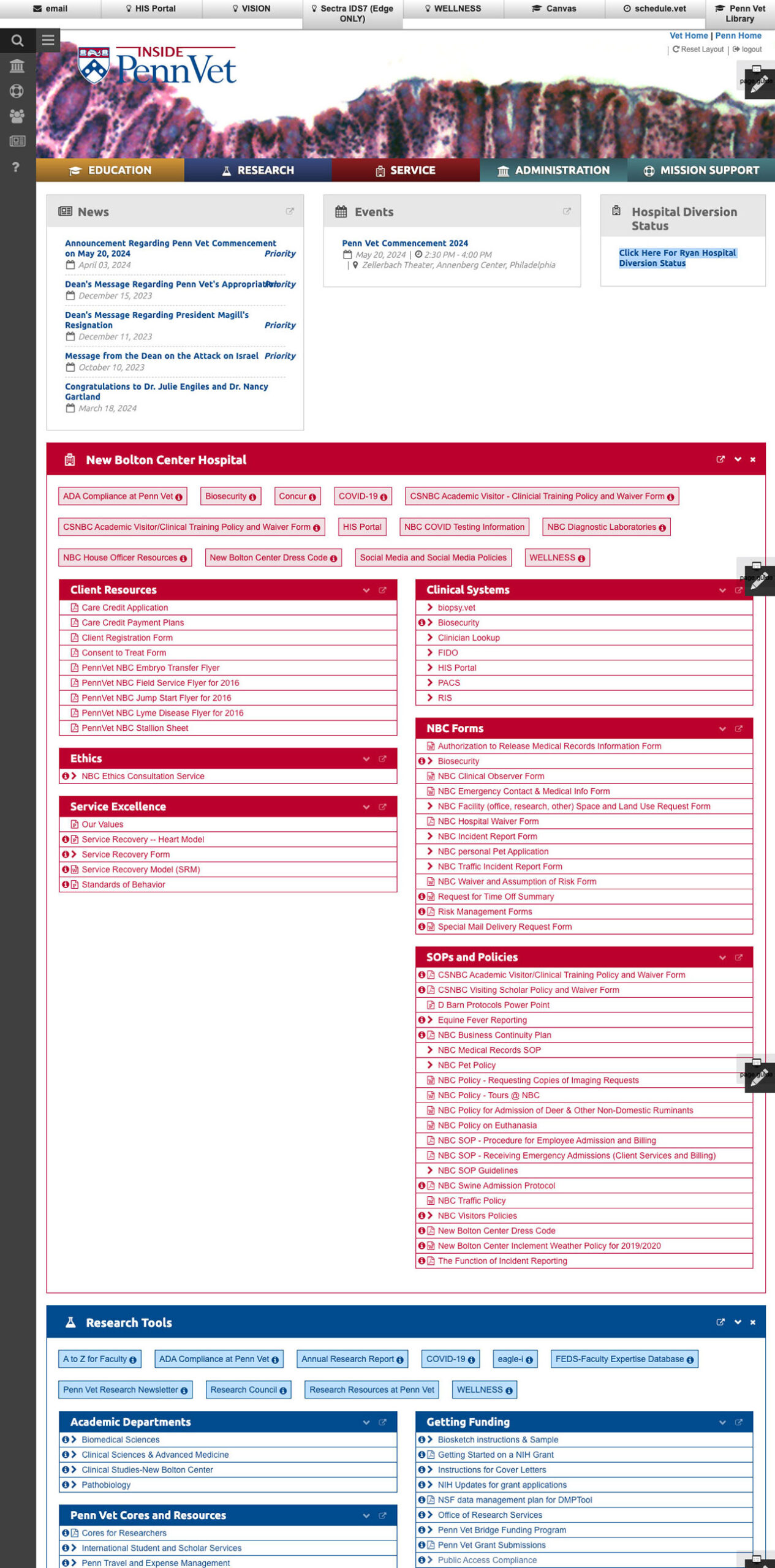
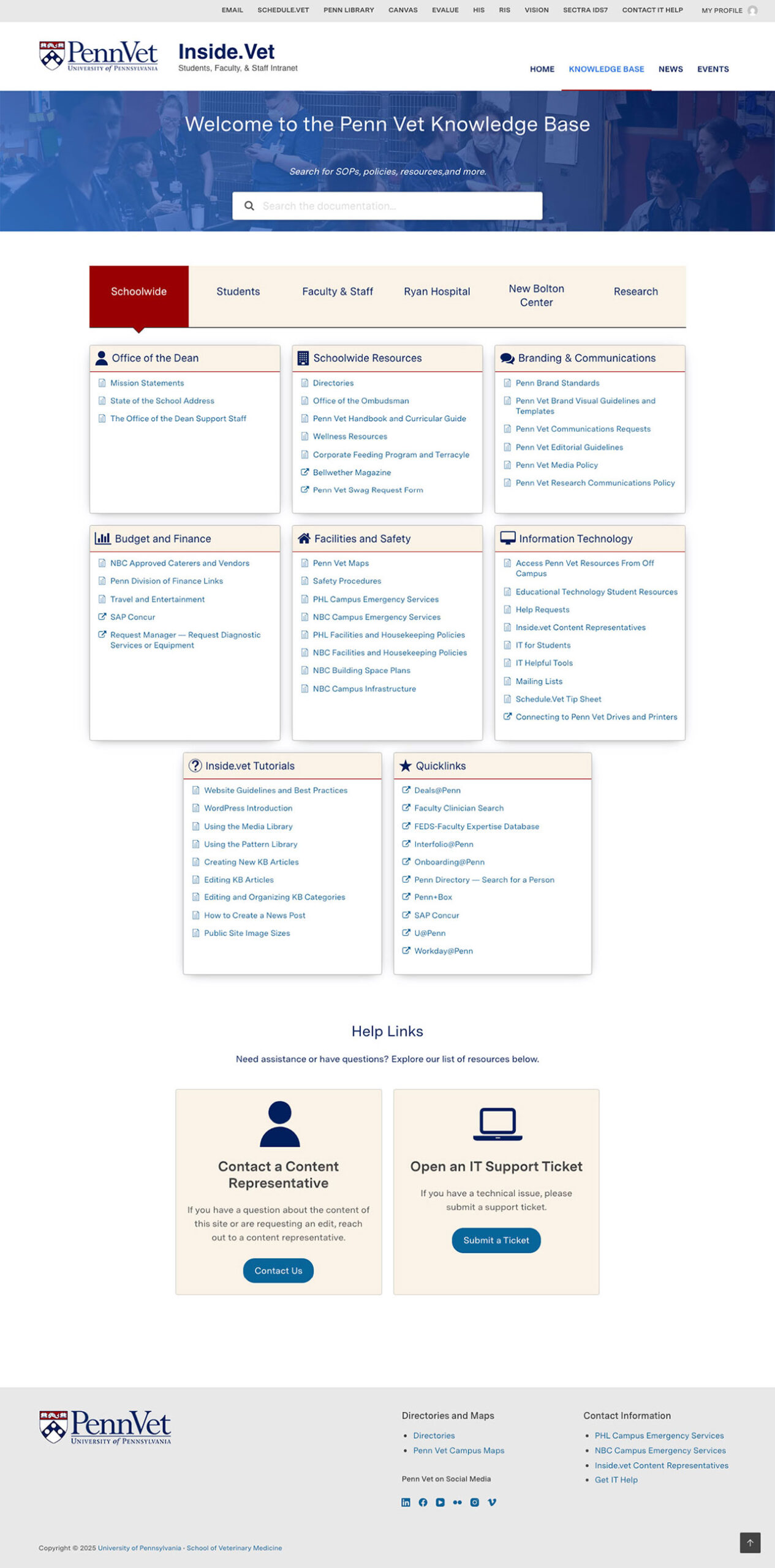
The original site (left) overwhelmed users with competing navigations and duplicated content. The new knowledge base (right) uses clear categorization and visual hierarchy to help users find what they need in less time.
The Challenge
- Navigation Chaos: Three competing navigation systems (top utility nav, primary nav, and left sidebar) created confusion and made information difficult to locate quickly.
- Mobile Dysfunction: The site was not optimized for mobile devices — excessive scrolling, confusing navigation patterns, and cut-off content made it nearly unusable for staff working remotely or on-the-go.
- Overwhelming Homepage: The homepage duplicated links from every subsection in one endless scroll, creating visual overload. Some links floated outside any clear hierarchy, further adding to the confusion.
- Broken Search: Search results frequently surfaced outdated or irrelevant content, forcing users to dig through pages manually or give up entirely.
My Approach
- Conducted discovery research through heuristic analysis, comprehensive content audit, and stakeholder interviews to understand the full scope of the problem and what users wanted from a new intranet
- Restructured the information architecture, reducing site content from 712 pages to 127—an 82% reduction that eliminated duplicates, outdated materials, and redundant pages
- Migrated to a mobile-first WordPress platform with a custom knowledge base plugin that enabled better content categorization and search functionality
- Consolidated navigation by replacing three competing menu systems with a single, intuitive mega-menu structure
- Created training materials to empower content creators to maintain the new system going forward
Solutions
- Identified a Gutenberg mobile-first WordPress theme and customized it to meet Penn Vet’s brand standards.
- Researched available WordPress plugins and identified a knowledge base plugin that met the desired criteria in both functionality and price. This served to house the majority of the content and allowed the content to be categorized efficiently.
- Developed a mega-menu drop-down navigation to consolidate the current site’s left nav and primary nav. A utility navigation was placed at the top of the site to allow for popular external links.
- Pathing of the site was significantly simplified as duplicates were removed and the site was flattened from four levels to three. Breadcrumbs were implemented, and search results accuracy was improved.
- Reduced the number of pages from 712 to 127 pages) — a reduction of 46% of content items and 82% of pages. Pages with outdated content were removed, redundant pages were eliminated, and other pages were consolidated.
- Implemented a calendar plugin that allowed for easier management of events.
- Wrote a series of training pages on how to use the Gutenberg editor to manage content.
Results
Improved Findability and User Efficiency Post-launch analytics showed a reduction in average time to locate information, dropping from 4.2 minutes to 1.5 minutes based on task completion. Search abandonment rates decreased from 38% to 12%, indicating users were successfully finding content through both navigation and search.
Reduced Content Management Burden The streamlined content structure and the ease of use of the WordPress CMS reduced the monthly content maintenance workload. Content creators reported spending less time fielding “where do I find X?” questions, with help desk tickets related to the intranet decreasing post-launch.
Stakeholder Feedback showed strong satisfaction across user groups:
- Users found the new navigation “much easier to use”
- Staff reported feeling more confident finding HR and onboarding resources
- Users found search results to be more accurate as outdated information was no longer being served
Example Pages
Click to view at full size
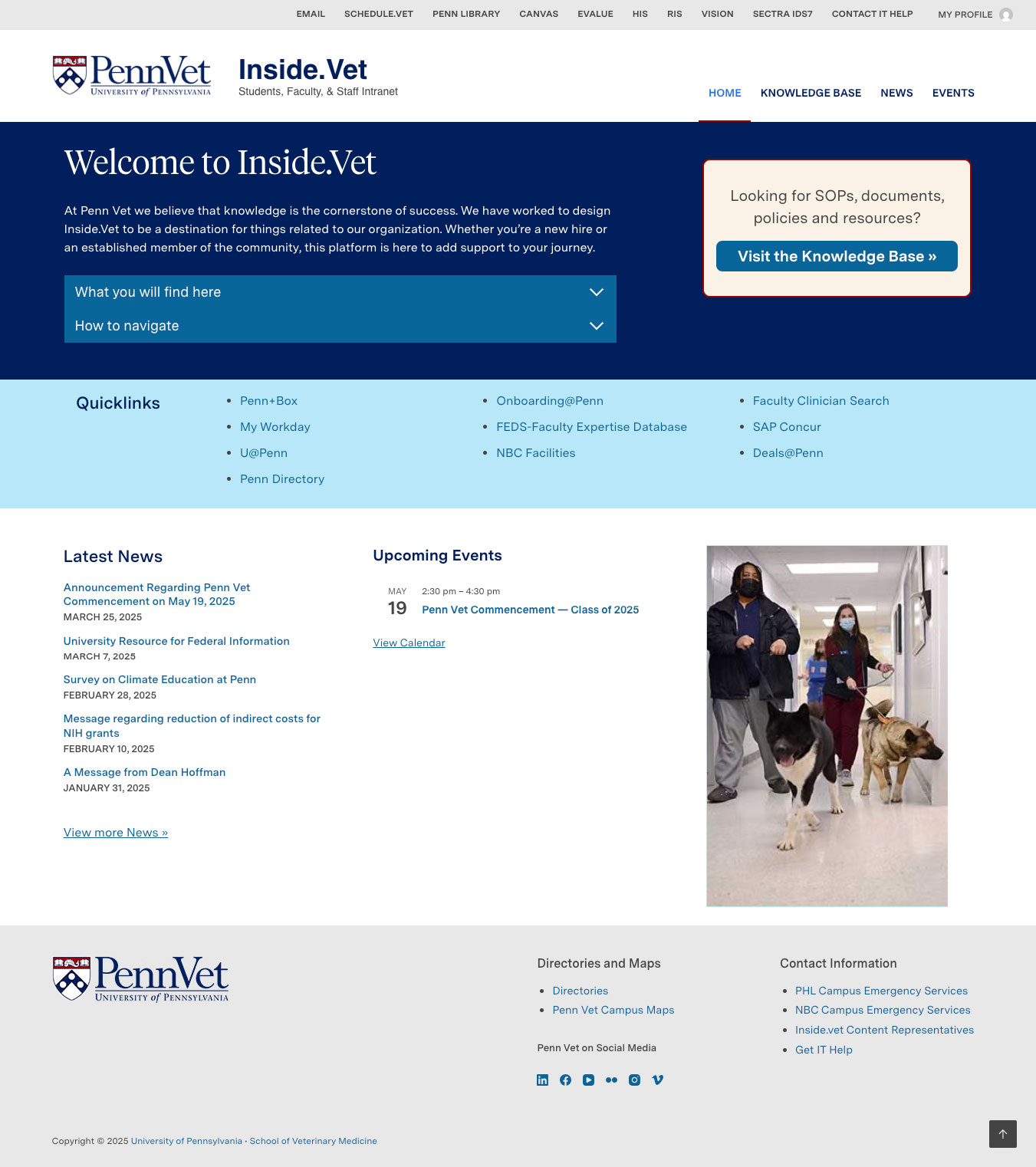
Home page
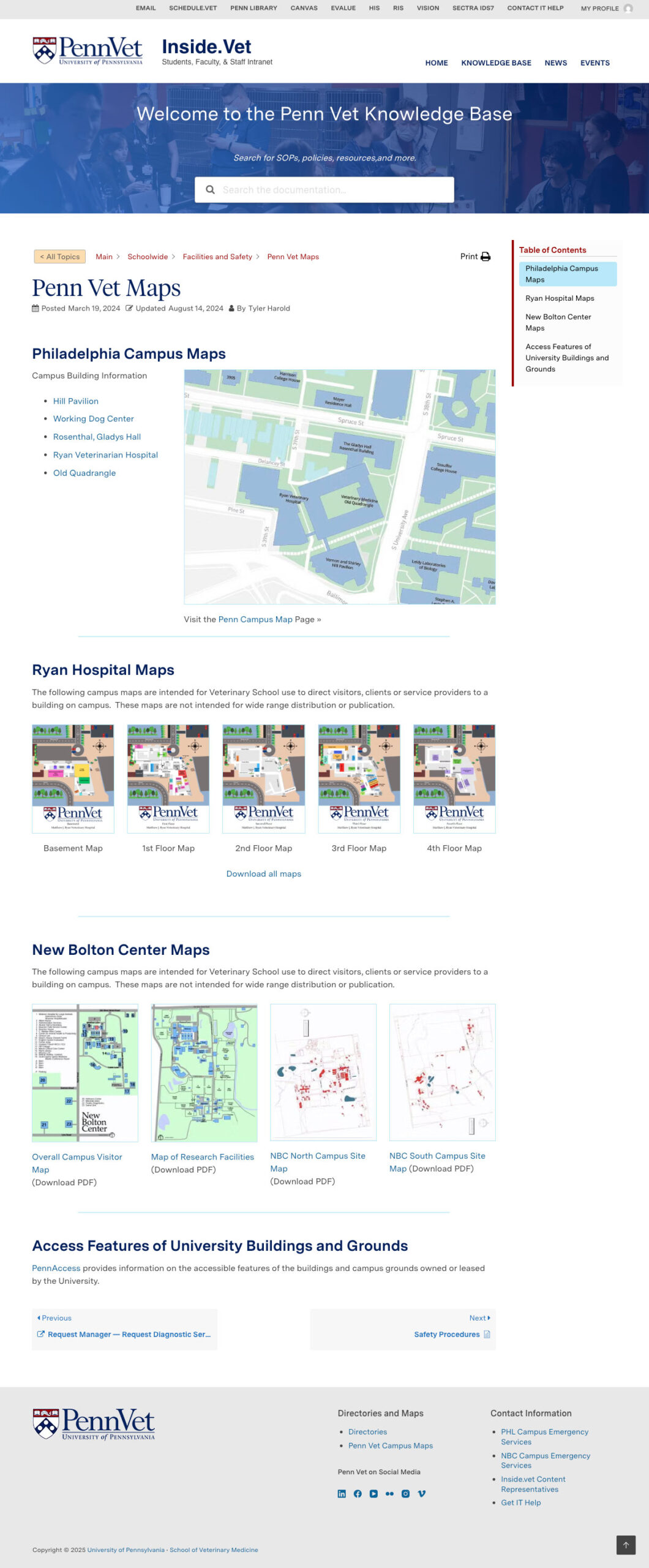
Article example
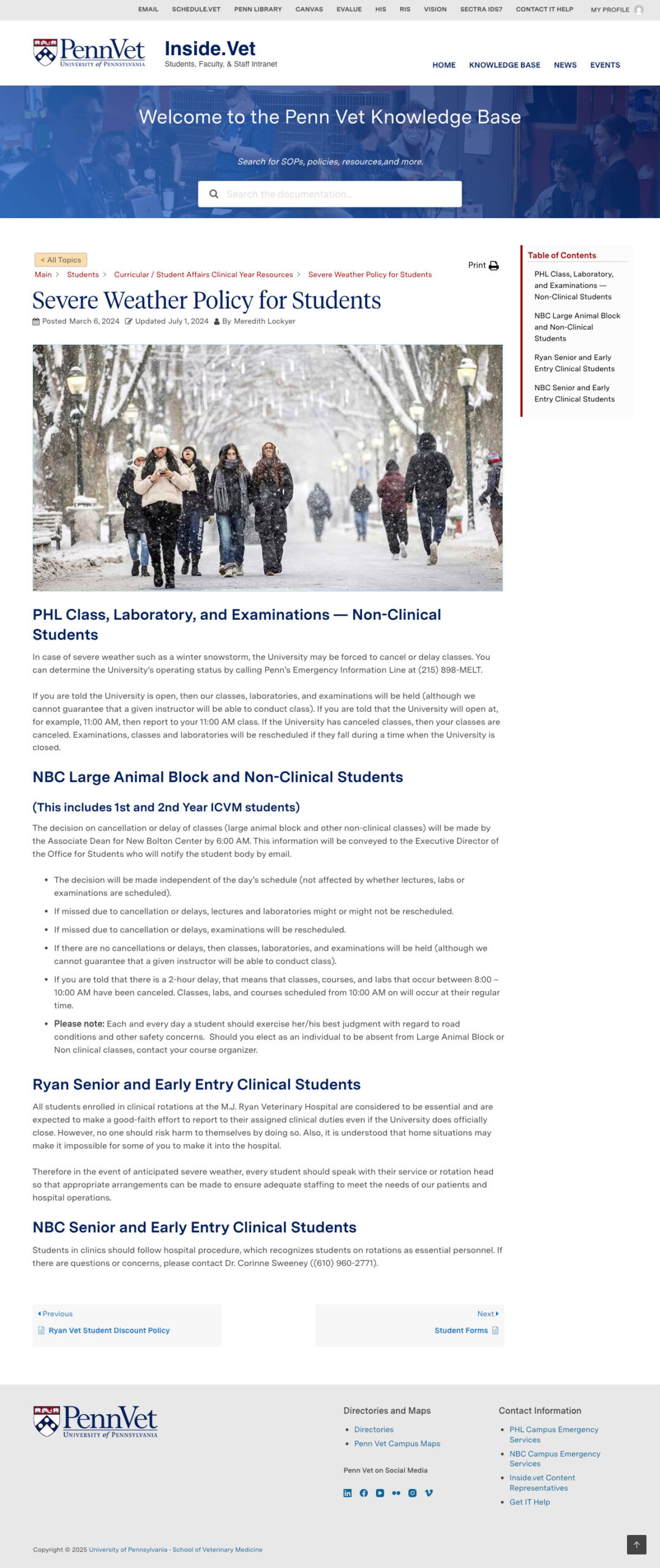
Article example
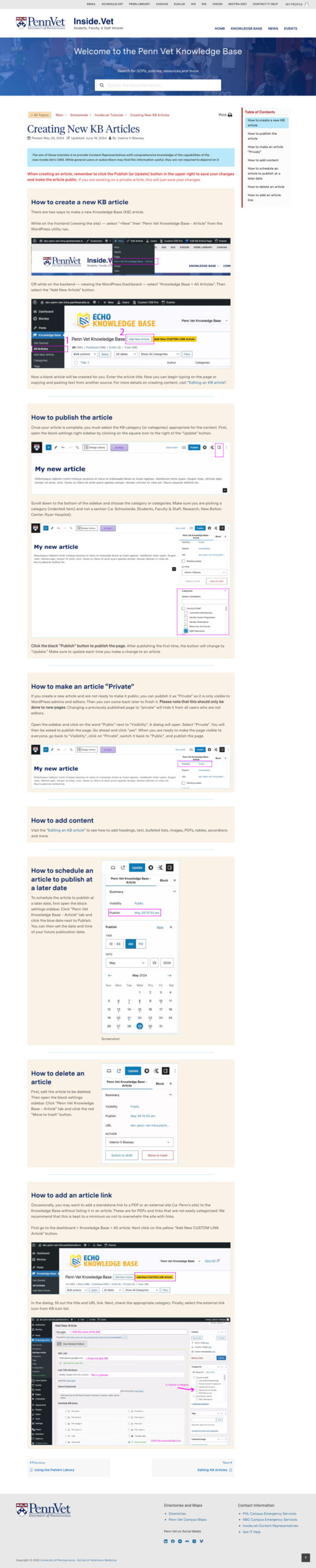
Tutorial article